


Does your back ache by lunchtime? You are not alone. A bad remote work setup is the number one reason people quit working from home. Your body is telling you something is wrong.
Many people think a laptop on the kitchen table is fine. But that setup forces you to hunch over. Over time, that leads to real pain and less focus. You deserve a workspace that works for you, not against you.
Your 2026 Home Office Setup Must Start With Your Chair
The most important piece in your home office setup is your chair. You need a model with strong lumbar support that keeps your lower back curved naturally. A good ergonomic chair costs around $300 to $600, but it is cheaper than a doctor visit.
Follow the ’90-90-90′ rule: keep your elbows, hips, and knees at 90-degree angles with your feet flat on the floor. Your desk height should let your forearms rest parallel to the ground. This neutral posture stops strain before it starts.
Many people skip the monitor riser and look down all day. That is a fast track to neck pain. Raise your screen so the top of the monitor is at or just below eye level. Your eyes should look straight ahead, not down.
Your 2026 Remote Work Setup: Master Your Space
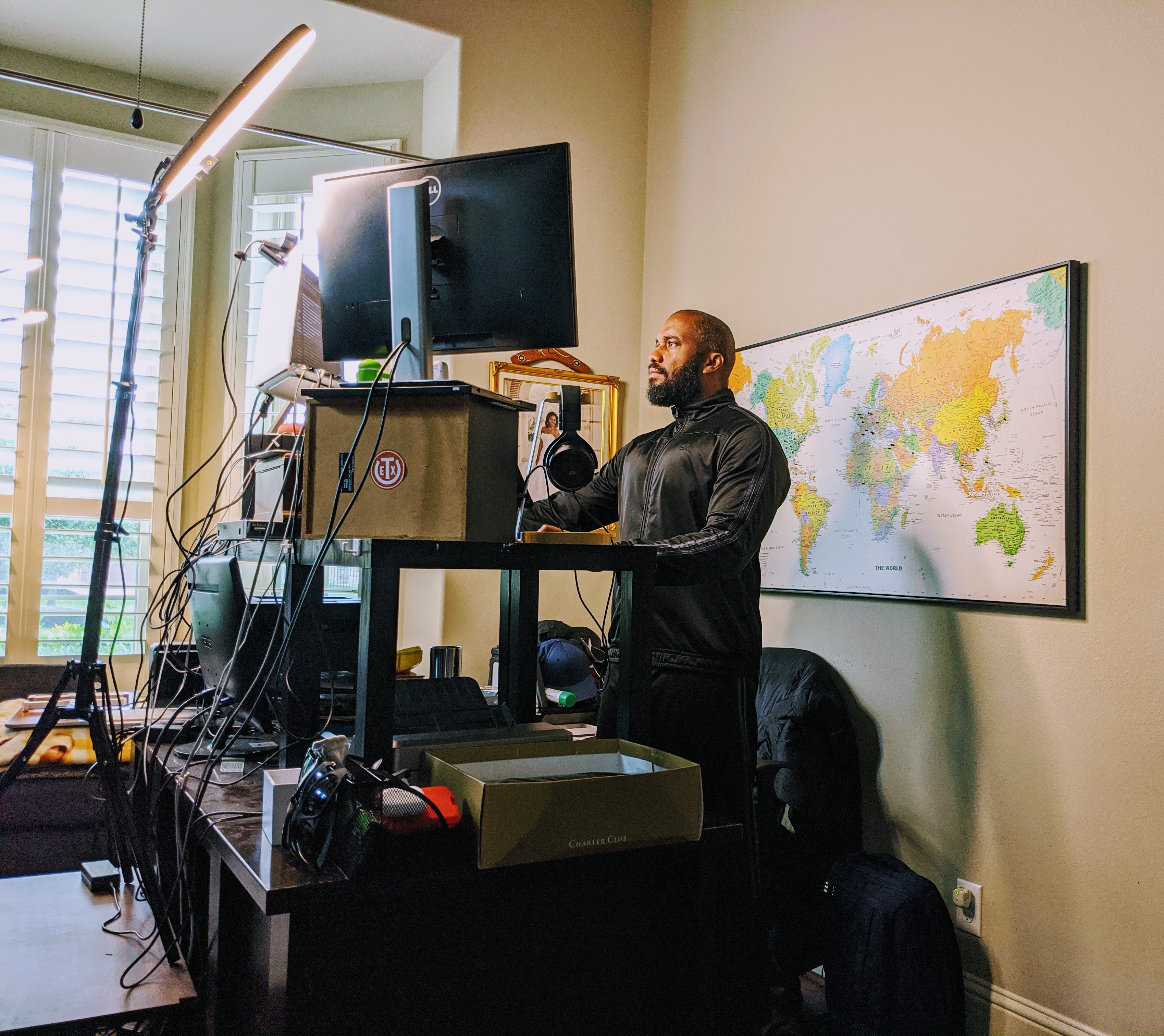
In 2026, a remote work setup is more than just a desk. It’s your command center for productivity and well-being. We focus on creating a space that works for you, not against you. This means smart choices for your body and your technology. Let’s build a workspace that supports your success.
| Key Area | 2026 Standard | Focus |
| Ergonomics | Neutral Posture, 90-90-90 Rule | Prevent Strain |
| Technology | 25/5 Mbps Internet, USB-C Dock | Reliability, Efficiency |
| Environment | Natural Light, Minimal Glare | Focus, Presentation |
| Wellness | 20-20-20 Rule, Boundaries | Sustained Energy |
Ergonomic Home Office: Essential Chair and Desk
Your chair is the foundation of an ergonomic home office. Look for adjustable lumbar support. This keeps your spine in a natural curve. Your desk height should allow your elbows to rest at a 90-degree angle. This is part of the 90-90-90 rule. It prevents shoulder and neck tension. Avoid working from your couch or bed. These surfaces do not support proper posture. A dedicated desk and chair are investments in your health.
Work from Home Essentials: Must-Have Tech Gear
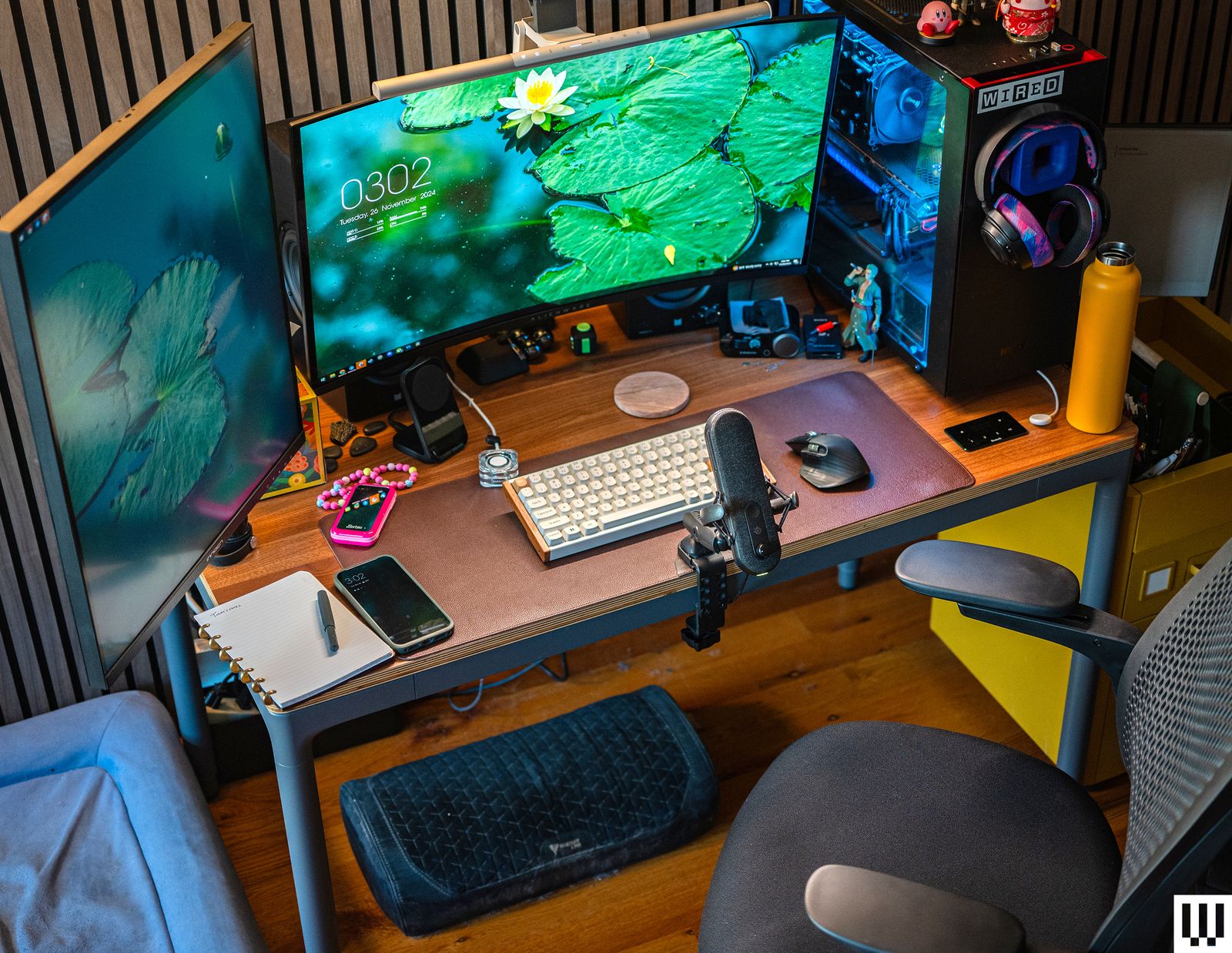
For a professional home office, reliable technology is key. A stable internet connection is non-negotiable. Aim for at least 25 Mbps download and 5 Mbps upload. This ensures smooth video calls. A USB-C docking station simplifies connections. It reduces cable clutter. This allows you to connect monitors, keyboards, and more with one cable. Consider a high-quality webcam. It makes a big difference in virtual meetings. Your tech should support, not hinder, your workflow.
Desk Setup Ideas for Maximum Productivity
Maximizing productivity starts with your desk setup ideas. Keep your main work items within easy reach. Use vertical space with shelves or monitor risers. This frees up desk surface area. Organize frequently used items in drawers or trays. A clean desk leads to a clear mind. This reduces visual distractions. Think about the flow of your work. Arrange items logically. This makes tasks smoother.
Remote Workspace: Lighting and Cable Management
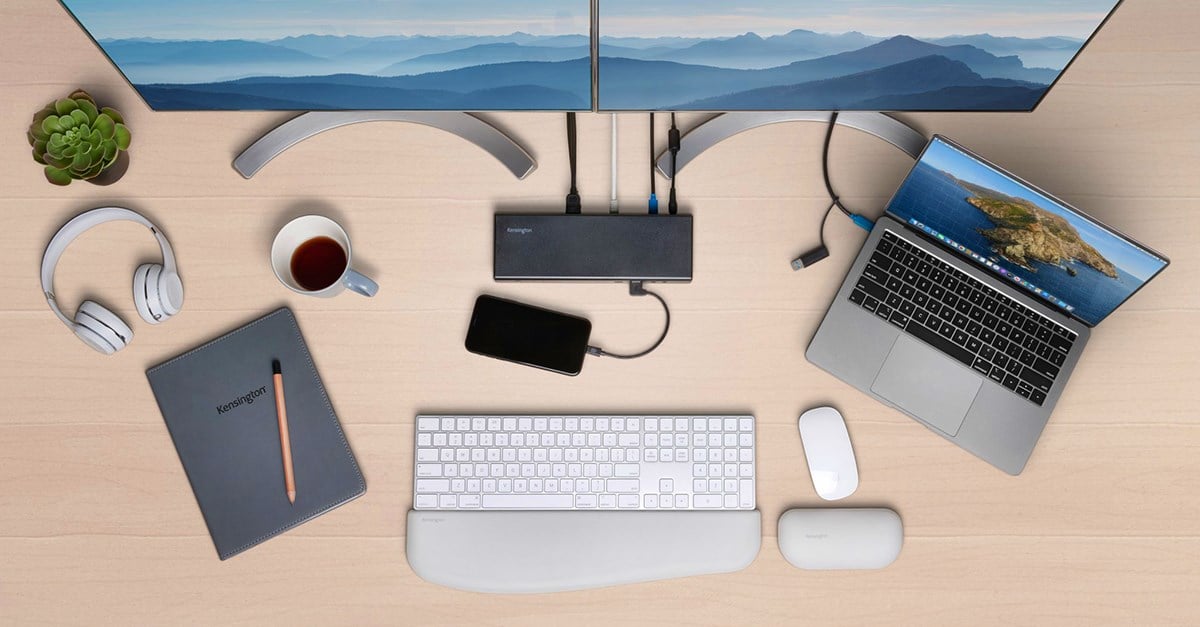
Good lighting transforms your remote workspace. Position your desk to use natural light. Avoid direct glare on your screen. Use a soft, front-facing light source for video calls. This illuminates your face clearly. Effective cable management is crucial. Use zip ties, clips, or sleeves. Hiding cables reduces visual clutter. It also prevents trip hazards. A tidy space promotes focus. It makes your office feel more professional.
Best Remote Work Setup: Dual Monitor and Laptop Stand
For many, the best remote work setup includes dual monitors. This significantly boosts efficiency. It allows you to view multiple applications at once. A laptop stand is essential if you use a laptop. It raises the screen to eye level. This prevents neck strain. Combine it with an external keyboard and mouse. This creates an ergonomic workstation. This setup is ideal for multitasking. It supports a more comfortable work posture.
Professional Home Office: Soundproofing and Privacy
Creating a professional home office involves more than just visuals. Consider soundproofing for important calls. Use thick rugs or acoustic panels. These absorb sound and reduce echoes. Ensure your background is professional and private. Use a room divider or bookshelf. This creates a clear boundary. It signals to others that you are working. This professionalism enhances your virtual presence. It minimizes interruptions.
Productivity Setup: Ergonomic Accessories and Software
Enhance your productivity setup with ergonomic accessories. A wrist rest for your keyboard and mouse can help. Footrests can improve posture if your feet don’t reach the floor. Consider a standing desk converter. This allows you to alternate between sitting and standing. Use software to manage your time. Apps that block distracting websites are useful. The 20-20-20 rule is a simple yet effective habit. It reduces eye strain. These small changes add up to big gains.
Ideal Home Office: Layout and Storage Solutions
The ideal home office is functional and organized. Plan your layout carefully. Ensure you have enough space to move. Good storage is vital for a clutter-free environment. Use wall shelves or filing cabinets. Keep essential documents organized and accessible. A dedicated workspace helps create mental separation. It signals the start and end of your workday. This separation is crucial for work-life balance. A well-planned layout boosts efficiency.
Verdict: Your Workspace, Your Success
Investing in your remote work setup is investing in yourself. Prioritize ergonomics to protect your health. Choose reliable technology for seamless work. A well-lit, organized space boosts focus. Remember to incorporate movement and boundaries. These elements create a sustainable and productive environment. Your home office setup is a dynamic tool. Make it work for you in 2026 and beyond. For more insights on creating your ideal workspace, check out ergonomic home office setups. Also, discover tips for the perfect home office.
Your 3-Step Remote Work Action Plan
Step 1: Fix Your Posture Today
Adjust your chair so your elbows, hips, and knees are at 90 degrees. Place your monitor at eye level to keep your neck straight.
Step 2: Upgrade Your Tech Basics
Connect your computer to your router with an Ethernet cable for stable video calls. Use a USB-C docking station to plug in all your devices with one cable.
Step 3: Set Up Your Lighting and Boundaries
Put a desk lamp in front of you, not behind, so your face is visible on camera. Close the door to your workspace when you are working to signal you are busy.
Frequently Asked Questions
Do I need an expensive ergonomic chair?
No, but you need a chair that supports your lower back and lets you sit with feet flat. Look for adjustable height and lumbar support, even in budget models.
How fast should my internet be for video calls?
For HD video conferencing, aim for at least 25 Mbps download and 5 Mbps upload. Wired Ethernet is more reliable than Wi-Fi for important meetings.
Can I work from my couch sometimes?
Briefly, yes, but avoid it for long periods because it strains your back and neck. Use your dedicated desk for focused work sessions.
Setting up your remote workspace with these ergonomic and tech principles is not a luxury; it is an investment in your long-term health and productivity. You now have the knowledge to create a setup that supports you every day.
Start with one change today, like adjusting your chair or adding a front-facing light. Small steps lead to big improvements in how you feel and work.
Imagine your desk as a command center that keeps you comfortable, connected, and in control. This is the foundation for a sustainable remote career in 2026 and beyond.
